

Life in DC runs on screens—briefings, inboxes, Slack, podcasts, news alerts. Technology is helpful, but when it never turns off, your brain and body don’t either. Technology exhaustion is the worn‑down feeling that comes from nonstop digital demands.
The goal here isn’t to quit tech; it’s to right‑size your screen time so attention, sleep, and mood can recover.
What is technology exhaustion?
Technology exhaustion is chronic mental and physical fatigue tied to heavy, continuous screen time. It’s not “hating tech.” It’s your system saying, too much, too fast, for too long. Researchers use terms like technostress and digital overload to describe how constant digital demands raise stress and reduce well‑being, and you can see this in scoping review on prevention and coping and technostress vs. time online, which both link heavy screen time to strain, distraction, and lower mood.
Common signs
- Burning eyes, headaches, or neck/shoulder tension
- “Brain fog,” low motivation, or feeling oddly wired and tired
- Endless doomscrolling loops you didn’t mean to start
- Snappy or irritable with people you care about
- Sleep that feels light or broken after late‑night scrolling
- Blurry boundaries: you’re “on” for work, even off the clock
If several of these sound familiar, it’s not a moral failing—it’s how human attention and stress systems react to constant digital input, as summarized in an overview of workplace tech stress.
How does constant connection drain your brain and body?
Attention switching has a cost. Every ping or quick check forces your brain to stop, start, and reload context. Over a day, those micro‑switches add up to real fatigue. Studies of technostress in always‑connected work and digital connectivity’s double‑edged effects show higher stress and emotional exhaustion when people must respond rapidly across tools.
Stress chemistry stays elevated. When screens keep you “on,” your body acts like there’s something urgent to handle. That can tighten muscles, shorten breath, and leave you restless at night. Encouragingly, a randomized trial found that screen‑time reduction improves mental health, even with modest cuts in daily use.
Eyes and posture matter. Long stretches of screen time can trigger eye strain and headaches. The 20‑20‑20 rule (every 20 minutes, look at something 20 feet away for 20 seconds) helps your eyes reset, and short movement breaks loosen neck and shoulder tension. A review of ocular strain in the technology era supports simple habits that give your visual system recovery time.
Why DC’s work culture can make tech fatigue worse
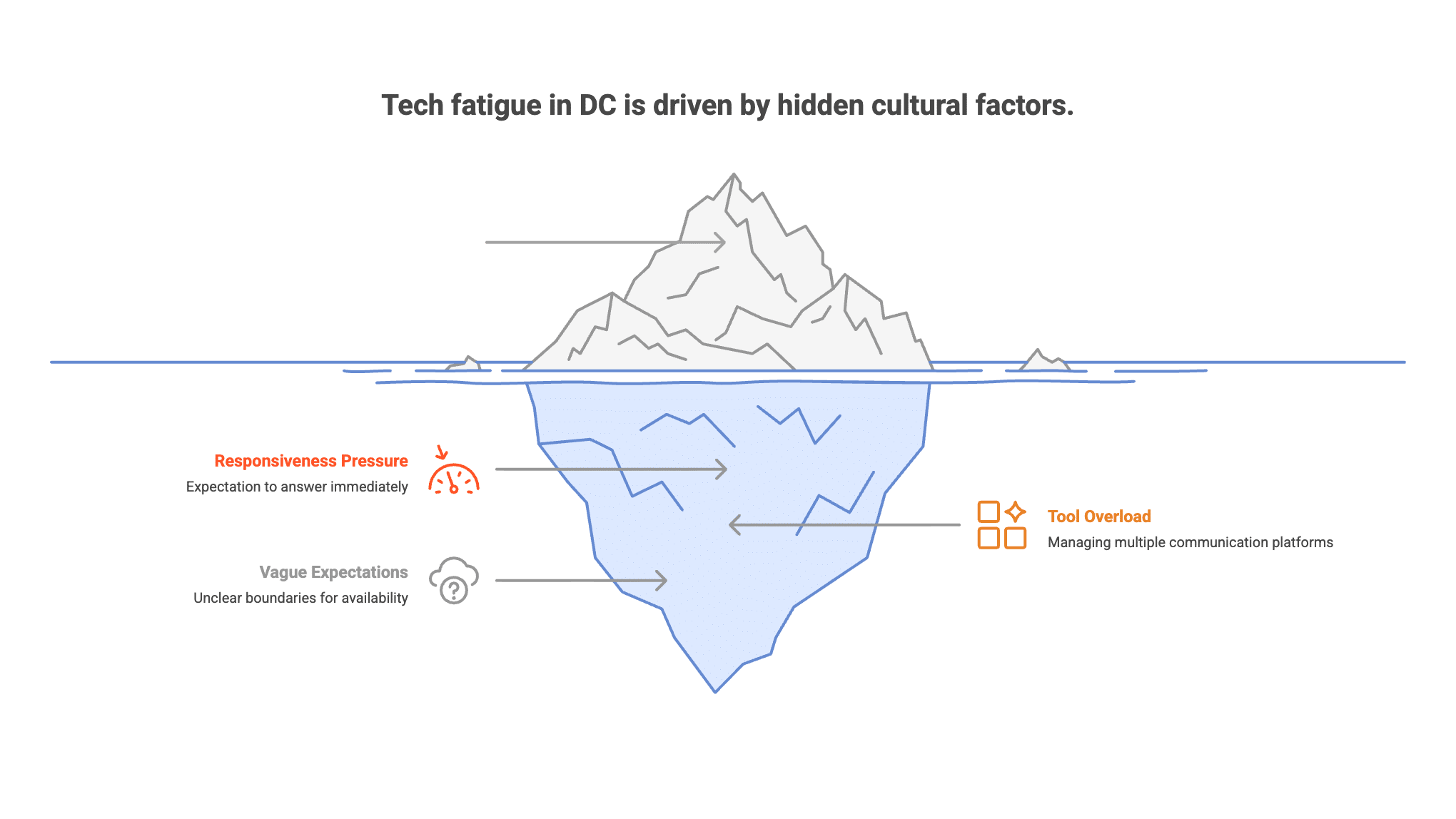
DC runs on responsiveness. Policy cycles move fast; inboxes fill faster. Many people feel pressure to answer now—to email, Teams, Slack, and text. Add hybrid meetings and you’re screen‑switching all day. That “always reachable” norm quietly pushes into evenings, whether you’re near Dupont Circle, downtown, or up on the Hill. Research on technology frustration and emotional exhaustion shows that constant interruptions and tool overload raise strain and burnout risk—especially when expectations to be available are vague.
Is it burnout—or too much tech? (and when to worry)
Burnout is chronic workplace stress that has not been well managed. Technology exhaustion is overload that is strongly tied to digital pace and constant connection. The two can overlap. If you notice red flags like lasting sleep problems, low mood or anxiety that sticks around, or conflict with partners or friends about being “always on,” it’s time to get support. If you ever have thoughts of harming yourself, reach out for urgent help right away (911 or your local crisis line).
Small changes that actually stick (micro‑detoxes you can live with)
Phone hygiene
- Turn off non‑essential notifications; keep only people and apps you truly need.
- Batch alerts using scheduled summaries or daily “check windows.”
- Move social apps off your home screen or switch them to grayscale to reduce pull.
Work blocks
- Try two 90‑minute focus blocks most days. Protect them with Do Not Disturb.
- Set 2–3 “reactive” windows (e.g., 10, 1, 4) for email and chat.
- Use full‑screen for tasks. Close extra tabs. Leave one core tool open at a time.
Eyes and body
- Follow the 20‑20‑20 rule to reset your eyes.
- Stand, stretch, or walk for 2–3 minutes every hour.
- Keep water nearby; tiny hydration breaks help you reset attention.
Evening wind‑down
- Pick a shutdown time and keep it. Use an analog alarm and charge your phone outside the bedroom if you can.
- Aim for a 30–60 minute no‑scroll buffer before bed.
- Keep lights softer at night; let your brain get the “time to power down” signal.
Weekend nudge
- Try a device‑light half‑day. Get outdoors—Rock Creek Park, the Mall, or your neighborhood.
- Refill your tank with something off‑screen: cooking, reading, stretching, live music.
Boundaries at work—without burning bridges
Reply‑window scripts
- “To protect focus, I check messages at 10, 1, and 4. If something is urgent, please text ‘urgent’ and I’ll jump in.”
- “I sign off at 6:30. I’ll reply next business day unless you mark urgent.”
Add a short version to your email signature or Slack status.
Calendar hygiene
- Default to 25‑ and 50‑minute meetings to create buffers.
- Say yes to an agenda; say no (politely) to meetings without one.
- Batch 1:1s on one or two days. Block one no‑meeting window each week.
Team norms
- Propose a 2‑week experiment: fewer notifications, clearer reply windows.
- Ask who covers after‑hours requests; rotate instead of everyone being on.
- Share what works. Small wins multiply.
How therapy helps (and what working with us looks like)
Therapy gives you space and tools to reset. Together we can: Learn more about what to talk about in therapy.
- Train attention so pings pull you less.
- Lower baseline stress with breath work, pacing, and brief body resets.
- Build sleep routines that actually stick.
- Set values‑based boundaries at work and home—and practice the scripts.
- Untangle beliefs that keep you “on” (perfection, fear of missing out, people‑pleasing).
At Therapy Group of DC in Dupont Circle, we work with tech‑heavy roles—Hill staffers, agency analysts, attorneys, consultants, and founders. We offer in‑person and secure telehealth.
Try a one‑week reset (simple plan)
- Mon: Audit notifications. Turn off anything non‑essential. Set your reply windows.
- Tue: Protect two 90‑minute focus blocks. End your day with a 10‑minute shutdown ritual.
- Wed: Clean up your calendar. Convert 60‑minute meetings to 45 or 50. Add buffers.
- Thu: Build your bedtime wind‑down. Phone out of the bedroom; lights down; stretch; read.
- Fri: Batch social media into two short windows. Turn off autoplay.
- Sat: Take a device‑light half‑day and go outside. Delete or hide one distracting app.
- Sun: Review what helped. Write your “tech minimums” (the smallest rules that make a big difference) for next week.
Track one or two simple metrics (sleep quality, mood, focus). If they trend up, you’re on the right path.
Closing
You don’t have to ditch technology; you can right‑size it. A few steady changes can lower stress, protect sleep, and make your days feel human again. If you want a structured plan—or you’re seeing signs of burnout or anxiety—we’re here to help. Reach out to schedule with Therapy Group of DC in Dupont Circle, in person or via secure telehealth.
Frequently Asked Questions about Technology Exhaustion
What is technology exhaustion and how is it related to screen time limits?
Technology exhaustion refers to the mental and physical fatigue caused by too much screen time and constant digital demands. Setting clear screen time limits and managing media consumption can help reduce this exhaustion and improve overall well-being.
How can parents use parental controls to manage their child’s device?
Parents can utilize parental controls to establish screen time limits, restrict access to certain apps, and oversee their child’s media consumption on their device. These controls help ensure access to high quality programming and create clear rules for healthier screen use.
What does the World Health Organization recommend about how much screen time children should have?
The World Health Organization recommends that children aged two and above have no more than one hour of screen time per day, emphasizing that less screen use is generally better for healthy development.
Why is it important to balance digital technology use with real life activities?
Balancing digital technology use with real life interactions is essential because excessive screen time can negatively affect language skills, mental health, and social development. Engaging in offline activities supports better cognitive and emotional growth.
What role does Common Sense Media play in guiding media consumption?
Common Sense Media provides resources and reviews that help parents and caregivers choose appropriate media content, promoting safe and high quality programming for children and families.
How can setting limits and clear rules help with managing technology exhaustion?
Setting limits and clear rules around screen use helps individuals and families create boundaries that reduce digital overload, prevent mental health issues, and promote healthier habits with electronic media.