

Life in DC runs on screens: briefings, inboxes, Slack, podcasts, news alerts. Technology is helpful, but when it never turns off, your brain and body don’t either. Technology exhaustion is the worn-down feeling that comes from nonstop digital demands.
The goal here isn’t to quit tech; it’s to right-size your screen time so attention, sleep, and mood can recover.
What is technology exhaustion?
Technology exhaustion is chronic mental and physical fatigue tied to heavy, continuous screen time. It’s not “hating tech.” It’s your system saying too much, too fast, for too long. Researchers use terms like technostress and digital overload to describe how constant digital demands raise stress and reduce well-being, and a scoping review on prevention and coping and a study of technostress and time online both link heavy screen time to strain, distraction, and lower mood.
Common signs
- Burning eyes, headaches, or neck and shoulder tension
- “Brain fog,” low motivation, or feeling oddly wired and tired
- Endless doomscrolling loops you didn’t mean to start
- Being snappy or irritable with people you care about
- Sleep that feels light or broken after late-night scrolling
- Blurry boundaries: you’re “on” for work, even off the clock
If several of these sound familiar, it’s not a moral failing. It’s how human attention and stress systems react to constant digital input, as summarized in an overview of workplace tech stress.
Always on and running low?
Our DC therapists help people set workable tech boundaries, protect sleep, and feel human again.
How does constant connection drain your brain and body?
Attention switching has a cost. Every ping or quick check forces your brain to stop, start, and reload context. Over a day, those micro-switches add up to real fatigue. Studies of technostress in always-connected work and digital connectivity’s double-edged effects show higher stress and emotional exhaustion when people must respond rapidly across tools.
Your stress response stays switched on. When screens keep you “on,” your body acts as if there’s something urgent to handle. That can tighten muscles, shorten breath, and leave you restless at night.
Eyes and posture matter. Long stretches of screen time can trigger eye strain and headaches. The 20-20-20 rule (every 20 minutes, look at something 20 feet away for 20 seconds) helps your eyes reset, and short movement breaks loosen neck and shoulder tension. A review of eye strain in the technology era supports simple habits that give your visual system recovery time.
Why DC’s work culture can make tech fatigue worse
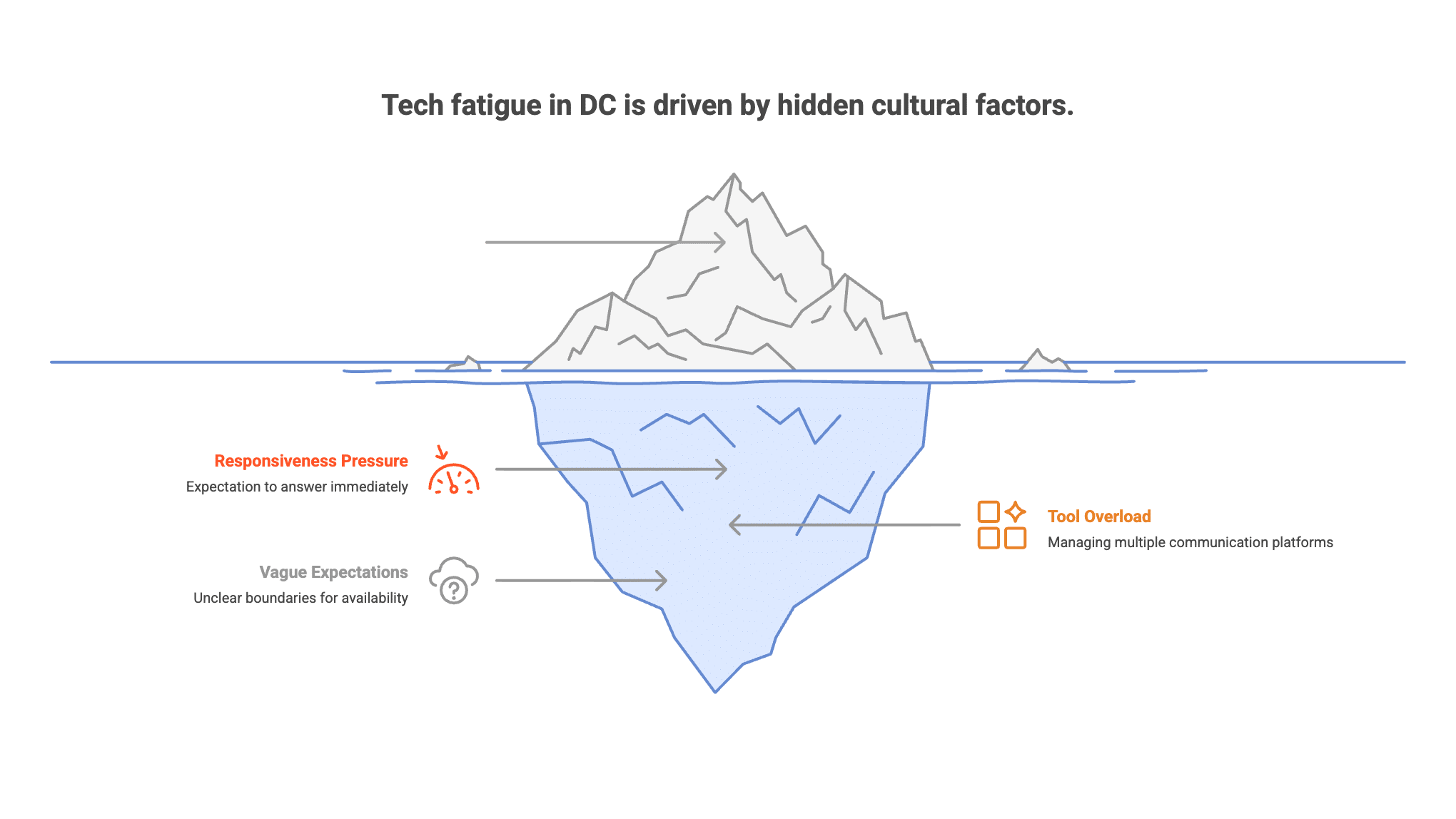
DC runs on responsiveness. Policy cycles move fast; inboxes fill faster. Many people feel pressure to answer now, whether by email, Teams, Slack, or text. Add hybrid meetings and you’re screen-switching all day. That “always reachable” norm quietly pushes into evenings, whether you’re near Dupont Circle, downtown, or up on the Hill. Research on technology frustration and emotional exhaustion shows that constant interruptions and tool overload raise strain and burnout risk, especially when expectations to be available are vague.
Is it burnout or too much tech? (And when to worry)
Burnout is chronic workplace stress that hasn’t been well managed. Technology exhaustion is overload tied to digital pace and constant connection. The two can overlap. If you notice red flags like lasting sleep problems, low mood or anxiety that sticks around, or conflict with partners or friends about being “always on,” it’s time to get support. If you ever have thoughts of harming yourself, reach out for urgent help right away: call or text 988, or call 911 in an emergency.
Small changes that actually stick (micro-detoxes you can live with)
Phone hygiene
- Turn off non-essential notifications; keep only the people and apps you truly need.
- Batch alerts using scheduled summaries or daily “check windows.”
- Move social apps off your home screen or switch your phone to grayscale to reduce the pull.
Work blocks
- Try two 90-minute focus blocks most days. Protect them with Do Not Disturb.
- Set two or three “reactive” windows (for example, 10, 1, and 4) for email and chat.
- Work full-screen, close extra tabs, and keep one core tool open at a time.
Eyes and body
- Follow the 20-20-20 rule to reset your eyes.
- Stand, stretch, or walk for two to three minutes every hour.
- Keep water nearby; tiny hydration breaks help you reset attention.
Evening wind-down
- Pick a shutdown time and keep it. Use an analog alarm and charge your phone outside the bedroom if you can.
- Aim for a 30- to 60-minute no-scroll buffer before bed.
- Keep lights softer at night so your brain gets the “time to power down” signal.
Weekend nudge
- Try a device-light half-day. Get outdoors: Rock Creek Park, the Mall, or your own neighborhood.
- Refill your tank with something off-screen: cooking, reading, stretching, live music.
Boundaries at work, without burning bridges
Reply-window scripts
- “To protect focus, I check messages at 10, 1, and 4. If something is urgent, please text ‘urgent’ and I’ll jump in.”
- “I sign off at 6:30. I’ll reply next business day unless you mark it urgent.”
Add a short version to your email signature or Slack status.
Calendar hygiene
- Default to 25- and 50-minute meetings to create buffers.
- Say yes to an agenda; politely say no to meetings without one.
- Batch one-on-ones on one or two days. Block one no-meeting window each week.
Team norms
- Propose a two-week experiment: fewer notifications, clearer reply windows.
- Ask who covers after-hours requests, and rotate instead of having everyone on call.
- Share what works. Small wins multiply.
How therapy helps (and what working with us looks like)
Therapy gives you space and tools to reset. Learn more about what to talk about in therapy. Together we can:
- Train attention so pings pull at you less.
- Lower baseline stress with breathwork, pacing, and brief body resets.
- Build sleep routines that actually stick.
- Set values-based boundaries at work and home, and practice the scripts.
- Untangle beliefs that keep you “on” (perfectionism, fear of missing out, people-pleasing).
We work with people in tech-heavy roles: Hill staffers, agency analysts, attorneys, consultants, and founders. We offer in-person and secure telehealth sessions.
Try a one-week reset (simple plan)
- Mon: Audit notifications. Turn off anything non-essential. Set your reply windows.
- Tue: Protect two 90-minute focus blocks. End your day with a 10-minute shutdown ritual.
- Wed: Clean up your calendar. Convert 60-minute meetings to 45 or 50. Add buffers.
- Thu: Build your bedtime wind-down: phone out of the bedroom, lights down, stretch, read.
- Fri: Batch social media into two short windows. Turn off autoplay.
- Sat: Take a device-light half-day and go outside. Delete or hide one distracting app.
- Sun: Review what helped. Write your “tech minimums” (the smallest rules that make a big difference) for next week.
Track one or two simple measures (sleep quality, mood, focus). If they trend up, you’re on the right path.
Closing
You don’t have to ditch technology; you can right-size it. A few steady changes can lower stress, protect sleep, and make your days feel human again. If you want a structured plan, or you’re seeing signs of burnout or anxiety, we’re here to help.
The bottom line: technology exhaustion is your attention and stress systems running without a break, and small, protected limits on when you’re reachable usually do more than any single digital detox.
If you’re in DC, you can see our therapists or get in touch. The first appointment is a full therapy session, not a screening call.
Feel human again
Our DC therapists help with screen fatigue, burnout, sleep, and the boundaries that make work sustainable.
Last updated: October 2026
This blog is for informational purposes only and does not constitute medical or mental health advice. Always consult with a qualified mental health professional for personalized guidance regarding your specific situation.